
-
The Short Version: It Depends on Three Things
-
Scenario A: Lean Team, First Prospecting Workflow
-
Scenario B: Scaling Team with RevOps and a Real Data Stack
-
Scenario C: Outbound Agency or Multi-Client Prospecting
-
How Firmographic Filtering Actually Fits Into an Agent-Native Workflow
-
Which Scenario Are You?
I've been running outbound and RevOps workflows for B2B sales teams for seven years. I've personally made, and documented, 11 significant prospecting mistakes. Total wasted budget? About $18,400. Not all of it was platform spend. Some was the cost of re-cleaning lists, rebuilding domains, and apologizing to sales leaders after a campaign went sideways.
So when someone asks me how firmographic filtering fits into an agent-native prospecting workflow, I don't give one answer. Because there isn't one. The right setup depends on your team size, your data stack, and how much of the buying process you actually control.
Here's how I break it down. Three scenarios. Pick the one that sounds most like your Monday morning.
The Short Version: It Depends on Three Things
Before you touch okki go integrations or any cold email platform features, answer these:
- Who owns the workflow? A founder doing sales at night, a small SDR team, or a RevOps function with a CRM admin?
- How clean is your data now? Be honest. If you can't tell me your bounce rate range, you're in Scenario A whether you like it or not.
- Are you sending for one company or many? Agencies have a different problem: client isolation, not just lead gen.
That's the fork in the road. The rest is detail.
Scenario A: Lean Team, First Prospecting Workflow
This is the 1-3 person outbound motion. Maybe you're a founder. Maybe you're the first SDR hire. You want an okki go first prospecting workflow that doesn't require a RevOps degree.
My mistake here was predictable. In September 2024, I loaded a 5,200-contact list into a cold email platform and skipped the email validation API step. I knew I should run validation. But the list came from a vendor with a decent reputation, and I thought, what are the odds? Well, the odds caught up with me. Bounce rate spiked, domain reputation dropped, and I spent the next two weeks warming things back up. That mistake cost about $2,400 in wasted send volume, replacement domains, and my own weekend.
If you're in Scenario A, keep it boring:
- Use firmographic filtering as a broad guardrail, not a precision tool. Industry, employee count, country, and maybe revenue range. That's enough.
- Run every list through an email validation API before it enters the sequence. Not because validation is perfect, but because skipping it is a self-inflicted wound.
- Pick two Okki Go integrations, not ten. Your CRM and one enrichment source. More integrations at this stage create more data conflicts than insight.
- Keep a human in the loop for the first 50 sends. Agent-native doesn't mean unsupervised.
Here's the counterintuitive part: your first prospecting workflow should not be fully automated. I know that sounds backward. But in small teams, the feedback from reading replies is worth more than the time you save by automating everything on day one.
Scenario B: Scaling Team with RevOps and a Real Data Stack
Now you're at 4-15 SDRs or AEs. You have a CRM that people actually update. Maybe you have intent data. You're looking at Okki Go integrations and wondering how to make firmographic filtering more than a checkbox.
This is where the agent-native workflow gets interesting. Firmographic filtering isn't just a filter. It's a routing layer.
Let me explain with a mistake I made in Q1 2025. We had a waterfall enrichment setup, intent signals, and a clean-looking CRM. I built one sequence for all accounts above 200 employees. Sounded efficient. It wasn't. Enterprise accounts got the same cadence as mid-market, and the SDRs ignored the intent signals because the routing made no sense. The third time a rep asked why a hot account was in a low-touch sequence, I finally created a pre-check list. Should have done it after the first time.
For Scenario B, here's what worked after the rebuild:
- Use firmographic filtering to define negative ICP first. Exclude the accounts you should never touch, then enrich the rest.
- Route by firmographic tier plus intent. High-fit plus high-intent goes to human-led. High-fit plus low-intent goes to automated nurture. Low-fit plus high-intent gets a manual review, not a blast.
- Put the email validation API inside the workflow, not at the end. Validate before enrichment if you can, then re-validate after waterfall enrichment adds new emails.
- Use cold email platform features like throttling, suppression lists, and reply detection. These matter more than another database integration.
- Keep Okki Go integrations mapped to one owner. If every tool can write to every field, your CRM becomes a rumor mill.
I have mixed feelings about intent data. On one hand, it surfaces accounts you'd miss. On the other, it creates false urgency if your firmographic filters are loose. The fix isn't less intent data. It's tighter routing rules.
Scenario C: Outbound Agency or Multi-Client Prospecting
If you're running outbound for multiple clients, your problem is different. It's not lead gen. It's isolation, compliance, and repeatability without cross-contamination.
Publicly, agencies often sell scale. Privately, the good ones obsess over boundaries. One client's suppression list should never touch another client's sequence. A firmographic filter that works for a cybersecurity client will fail for a local services client. I learned this the hard way when a shared enrichment workspace leaked a competitor domain into the wrong client's campaign. Nobody sent anything, but the trust damage was real.
For Scenario C, I'd set it up like this:
- One workspace or client folder per client, even if the underlying okki-go setup is shared.
- Firmographic filtering becomes a client-specific rules file. Industry, geography, employee count, technologies, and exclusions. Review it monthly, not quarterly.
- Use an email validation API at the API level, so every client workflow hits the same quality gate before sending.
- Standardize the cold email platform features you allow. If each strategist picks a different sending tool, your reporting will be useless.
- Keep the agent-native part narrow: agents research and draft, humans approve anything that touches brand voice or compliance.
There's something satisfying about a multi-client workflow that actually holds. After months of duct-taping tools together, seeing clean client separation and a single validation gate feels like finally locking the front door.
How Firmographic Filtering Actually Fits Into an Agent-Native Workflow
Here's the mental model I wish I'd had earlier. People think more integrations equal a better agent-native prospecting workflow. Actually, more integrations create more data conflicts unless firmographic filtering routes the data first. The causation runs the other way: clear routing makes integrations useful.
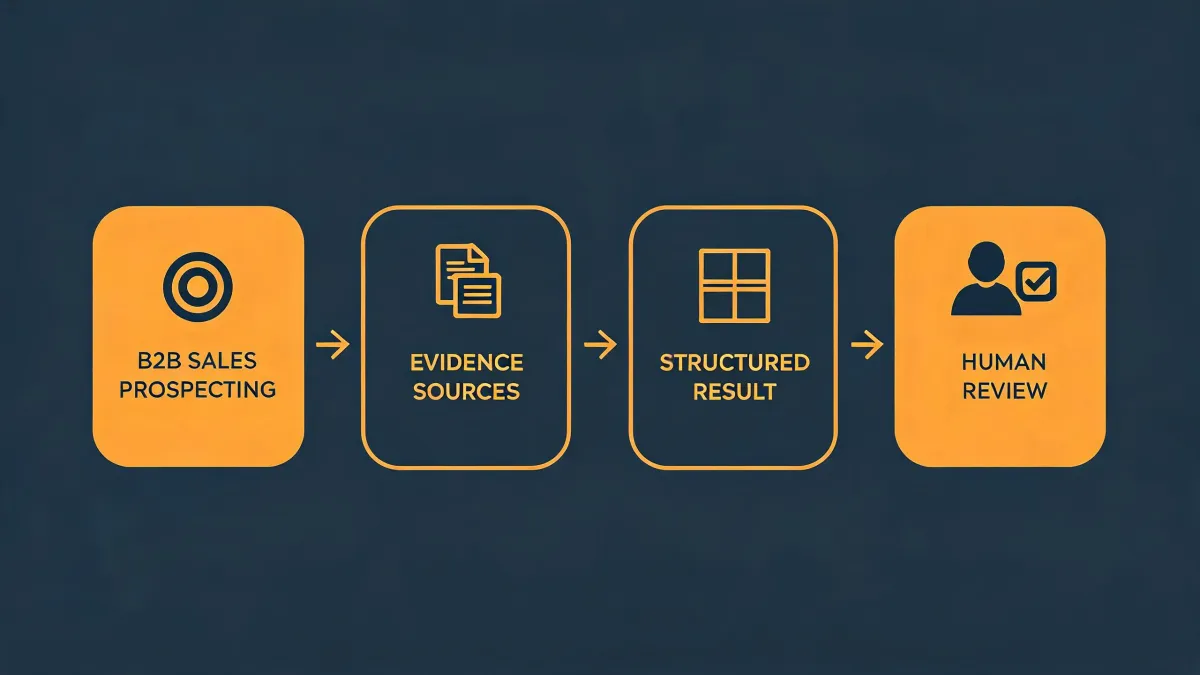
In practice, the workflow looks like this:
- Define ICP and negative ICP with firmographic filters.
- Pull accounts from your sources through Okki Go integrations.
- Run waterfall enrichment to fill missing fields.
- Validate emails through an email validation API before they enter a sequence.
- Apply intent signals and firmographic tier to route accounts into human-led, automated, or nurture paths.
- Let agents draft and queue. Humans review edge cases.
- Push outcomes back to CRM so the filters learn from closed-lost and closed-won.
From the outside, agent-native prospecting looks like AI sending emails. The reality is data hygiene, routing, and review. The email is the last mile, not the whole road.
Google's 2024 bulk sender guidelines say bulk senders should keep spam rates below 0.3% and support one-click unsubscribe. The FTC's CAN-SPAM guide requires accurate headers, clear opt-out language, and honoring opt-outs within 10 business days. None of that is optional just because an agent is doing the drafting.
I'm not a lawyer, and Okki Go isn't a compliance department. If you're sending across regions, get legal review. A good vendor will tell you where their expertise ends. That's not weakness. That's how you avoid the expensive stuff.
Which Scenario Are You?
Don't pick the most sophisticated setup because it looks impressive on a roadmap. Pick the one that matches your actual constraints.
- You're sending under 200 emails a week, one person owns it, and your CRM is mostly a spreadsheet. You're Scenario A. Start with validation, two integrations, and human review.
- You have a RevOps owner, 4-15 sellers, and intent data that someone actually checks. You're Scenario B. Build firmographic routing before you add another tool.
- You run outbound for multiple clients and need client-level isolation. You're Scenario C. Standardize validation and sending features, then let agents handle research and drafts.
If you've ever had a campaign blow up because you skipped one boring step, you know the feeling. The fix is rarely a new platform. It's usually a clearer workflow. Firmographic filtering, email validation, and a few well-chosen Okki Go integrations won't make outbound magically easy. But they'll keep you from repeating my $2,400 mistake.