
-
The problem you think you have: not enough prospects
-
What a prospecting tool actually is
- The part nobody puts on the pricing page: you're buying a decay rate, not a list
- What the misses actually cost
-
So when should a B2B sales team buy one?
-
What I'll pay extra for when the clock is short
-
Where OKKI Go sits in a workflow for SDR teams
-
The short version
In November 2025 our VP of Sales forwarded me a quote. Four seats, annual billing, about $19,000. His note was two lines: "Pipeline's thin. Can we approve this?"
I've approved three purchases like that since 2022. So before I answered, I pulled the invoices and asked the only question I actually care about — what did the last three make us?
Meetings booked per rep: flat. Contact records in the CRM: up about 60%. We were buying volume and calling it pipeline.
Context, since it shapes everything below. I handle revenue tooling procurement at a 140-person software company — roughly $410,000 a year across sales, marketing, and CS. I've negotiated with about 30 vendors and logged every invoice in the same spreadsheet since 2021. My job isn't to pick the best product. It's to figure out what things actually cost.
The problem you think you have: not enough prospects
Our numbers in October 2025 looked like this. About 41,000 contact records sitting in the CRM. Our four SDRs touched roughly 2,400 of them in the prior quarter. That's a 6% utilization rate on data we'd already paid for.
And I was being asked to buy more.
A thin pipeline feels like a supply problem. Not enough names. Not enough coverage. Not enough credits. Buy more, send more, book more. I've believed that myself, which is how we ended up with four overlapping data subscriptions in three years.
The real question isn't "how do we get more prospects." It's "why do the ones we already have go nowhere." Took me a while to ask it that way.
What a prospecting tool actually is
The term has drifted, so let's pin it down. A prospecting tool is software that does four jobs:
- Sources records — companies and people matching a target profile
- Enriches them — fills the missing fields: title, headcount, tech stack, phone, location
- Validates contactability — checks whether an email or number is actually reachable
- Sequences the outreach — queues, sends, tracks, and increasingly drafts
That last one is where the categories blur. A data vendor, a sequencer, and a CRM are now three products fighting over one budget line, and they all call themselves sales intelligence platforms. Which is exactly how the purchase decision ends up being made on the wrong metric.
The part nobody puts on the pricing page: you're buying a decay rate, not a list
Everything I'd read about prospecting tools said coverage is the number that matters. More providers, more matches, more rows. In practice, coverage was the least of our problems. Resolution over time was the whole ballgame.
Email validation is a snapshot, not a state. A validation tool confirms an address was deliverable on the day it ran. That's it. It has no idea the VP you're targeting takes a new job in six weeks, or that the company migrates its mail servers in March. We ran a batch of 5,000 "verified" contacts in January 2026 and re-verified the same batch in April. Something like 9% had gone bad. Maybe 8% — I'd have to pull the exact report. The point is it wasn't zero, and it was never going to be zero.
If you're buying 10,000 records a month and your decay rate looks anything like that, you're not building an asset. You're renting a slowly degrading one.
And a record isn't a buyer. This took me longer to internalize. A lead is a company name, a job title, and an address. A buyer is a person with a problem and a window in which they'll act on it. Different objects. Most tools sell you the first one and let you infer the second.
Where a waterfall enrichment workflow actually changes the math
The first time someone pitched me a waterfall setup, I thought it was a coverage trick. Cascade provider A into provider B into provider C, fill the gaps, done. More rows for the same money.
That's half of it. The half I missed was billing.
Here's something the pricing pages won't tell you: on a single-provider contract, you usually pay per attempt. The vendor fires a lookup, misses, and the credit is gone. You paid for an empty cell. Run that across four providers and you're either paying four times for nothing or leaving the cell blank so a rep fills it by hand.
A real waterfall inverts the billing. You pay once and the system keeps cascading until the record resolves. The miss belongs to the vendor. That's a pricing model change more than a data change, and honestly it saved us more than the extra coverage did.
Which brings me to the number that got me in trouble with our CFO.
What the misses actually cost
Three layers of cost. Only one of them shows up on the invoice.
1. The credits
Straightforward. Per-seat or per-credit, annual commit, true-up at renewal. If you're on a per-attempt model, your effective cost per usable record is list price divided by resolution rate. A tool that looks 30% cheaper at the sticker can be 40% more expensive per row you can actually use. I've watched a team celebrate a 22% discount on a contract and then quietly re-buy the same coverage from a second vendor six months later.
2. Rep time
The invisible one. In our Q3 2025 audit, four SDRs were spending a bit over six hours a week each on list building and record cleanup. That's roughly 1,100 hours a year across the team. Loaded at somewhere in the mid-$30s an hour, you're looking at $35,000 to $40,000. I round to $38,000 when I take it to budget.
Add the onboarding nobody quotes for. Our "included implementation" on one contract cost us about $2,300 in rep hours just getting custom fields mapped correctly. Nobody lied to us. It just wasn't in the number we compared.
3. Deliverability
The expensive one, and the one teams underprice until it bites.
In September 2025 we had a bounce spike — call it 6% on one campaign, driven by a stale list an agency handed us. Within two weeks, reply rates on completely unrelated sequences were down by roughly a third. It took most of October to recover. I still can't put a clean number on that month.
The mechanism isn't mysterious. Google's Email Sender Guidelines, in effect since February 2024, require bulk senders to keep spam complaint rates below 0.3%, with Google recommending under 0.1%. Bounce rate is a different metric, but it feeds the same reputation systems. Cross those thresholds and you're not losing a campaign. You're losing the ability to reach anyone at all.
There's a legal layer too. The FTC enforces the CAN-SPAM Act, which requires accurate header information, non-deceptive subject lines, a working opt-out, opt-outs honored within 10 business days, and a valid physical postal address. Civil penalties are assessed per email and adjusted annually for inflation — the current ceiling is over $50,000 per message. Details are on ftc.gov and take ten minutes to read.
The vendor quotes you a price per record. The real price is per record a human can actually reach, at a moment when they'll listen. Those two numbers are not close.
So when should a B2B sales team buy one?
I've watched teams get this wrong in both directions. Here's the test I use now, after getting it wrong twice.
Buy when:
- Your ICP has closed revenue at least three separate times. Three wins, not a hypothesis.
- Reps spend more than about four hours a week each on manual list work.
- You're opening a segment where nobody on the team has a network — new vertical, new geography, new company size.
- More than two people do outbound, so the tooling cost spreads across seats instead of landing on one person's back.
- Your market is bigger than you can work by hand. If 400 accounts is the whole TAM, buy a good spreadsheet and a plane ticket.
Don't buy when:
- Your problem is downstream. If demos get booked and then lost, more top-of-funnel makes it worse.
- You haven't validated the ICP. A prospecting tool will scale a bad hypothesis very efficiently.
- You're buying because a competitor did. I've made that mistake once. It cost about $14,000 in a contract we didn't renew.
What I'll pay extra for when the clock is short
A note on timing, because it shifts the math more than people admit.
In March 2026 we paid roughly a 30% premium to move a list build to the front of a vendor's queue, which got us records three days earlier. On paper that looks like waste. But those were the last three days before quarter close, and the alternative was launching a sequence in the first week of the next quarter with a new number.
I've stopped thinking of rush premiums as a speed purchase. They're a certainty purchase. Cheap and uncertain isn't a discount — it's a variable you can't price, and unpriced variables are how budgets get blown. With eleven working days left, "probably resolves by Thursday" is the most expensive sentence in the building.
That said, this only holds at the edges. In a normal month with no quarter pressure, pay for quality and re-validation, not for speed. I can only speak to the rally periods I've actually sat through. A team running continuous outbound with no deadline exposure would probably land somewhere different.
Where OKKI Go sits in a workflow for SDR teams
I'll keep this short, because the tool isn't the interesting part. The sequence is.
What we run now:
- Define the segment, not the list. ICP filters go in once and stay in.
- Let the waterfall run. Multiple providers cascade until the record resolves, and we're billed for the resolution rather than the attempt.
- Layer intent on top, so rep hours go to accounts showing a live signal — a hiring post, a stack change, a funding round — instead of a static list sorted by headcount.
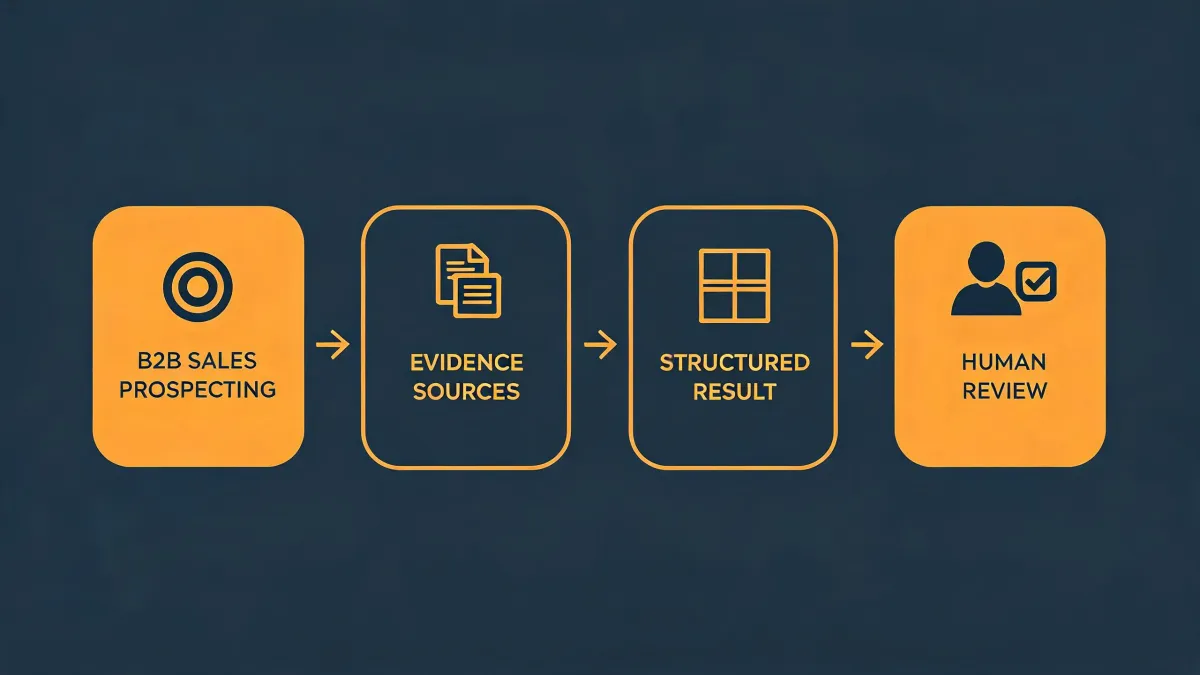
- Keep a human in the loop. An agent drafts and queues; the rep reviews and owns the send. We tried full automation once. Reply rate dropped and unsubscribes tripled. I'd rather somebody press the button.
- Re-validate on a schedule, not once. Anything older than 60 days goes back through.
The last step is the one I'd argue hardest for, and it's the one most teams skip, because it doesn't come with a dashboard.
OKKI Go is built around that sequence — agent-native prospecting, waterfall enrichment with intent layered in, and a person still holding the send button. Whether it earns a line in your budget depends on your utilization rate. If you're touching 6% of the records you already own, fix that first. The tool will still be there next quarter.
The short version
A prospecting tool isn't a pipeline fix. It's a cost multiplier on a process you already have. If the process works, the tool makes it cheaper and bigger. If the process doesn't work, the tool just makes it bigger.
My read is based on about five years of buying data, enrichment, and sequencing tools for a 140-person software company selling mid-market into North America. We're not enterprise, not a two-person agency, and I don't run EMEA outbound under GDPR. If any of that is your situation, your math probably looks different from mine.
What I'd do first: pull your utilization rate before you pull your credit card.