
-
Who this checklist is for
-
Step 1: Define what a lead is before you buy lead generation software
-
Step 2: Map the workflow before you automate it
-
Step 3: Set an email verification policy, not a magic checkbox
-
Step 4: Layer waterfall enrichment and intent
-
Step 5: Configure agent-native prospecting with human-in-the-loop
-
Step 6: Write sales emails that respect deliverability rules
-
Step 7: Set routing, suppression, and CRM hygiene
-
Step 8: Review procurement details early
-
Step 9: Measure weekly and cut what does not work
-
Common mistakes and warnings
Who this checklist is for
I am an office administrator for a 48-person B2B SaaS company. I manage about $140,000 in vendor spend annually across 14 vendors, and I report to both operations and finance. When I took over purchasing in 2022, software renewals were a mess. In our 2024 vendor consolidation project, I learned that lead generation software has the same failure mode as office supplies: the invoice looks fine until the workflow behind it breaks.
This checklist is for SDR leaders, RevOps, and admin buyers who are adding Okki-Go or another agent-native prospecting tool. It is not a pitch for fully autonomous outreach. It answers one question: How does lead generation fit into an agent-native prospecting workflow?
Bottom line: if you cannot explain your verification, suppression, and human-review steps in plain English, do not turn the agent loose on your sales email.
Step 1: Define what a lead is before you buy lead generation software
Most buyers focus on database size and completely miss the handoff rules. Database size is easy to compare. Handoff rules are where the money leaks.
Write a one-page lead definition. Include title, company size, industry, geography, intent signal, enrichment fields, and verification threshold. If a lead has no intent signal, it does not enter the high-priority sequence. Simple.
Why does this matter? Because an agent-native prospecting workflow will happily process thousands of records. If your definition is fuzzy, you get fuzzy pipeline.
Step 2: Map the workflow before you automate it
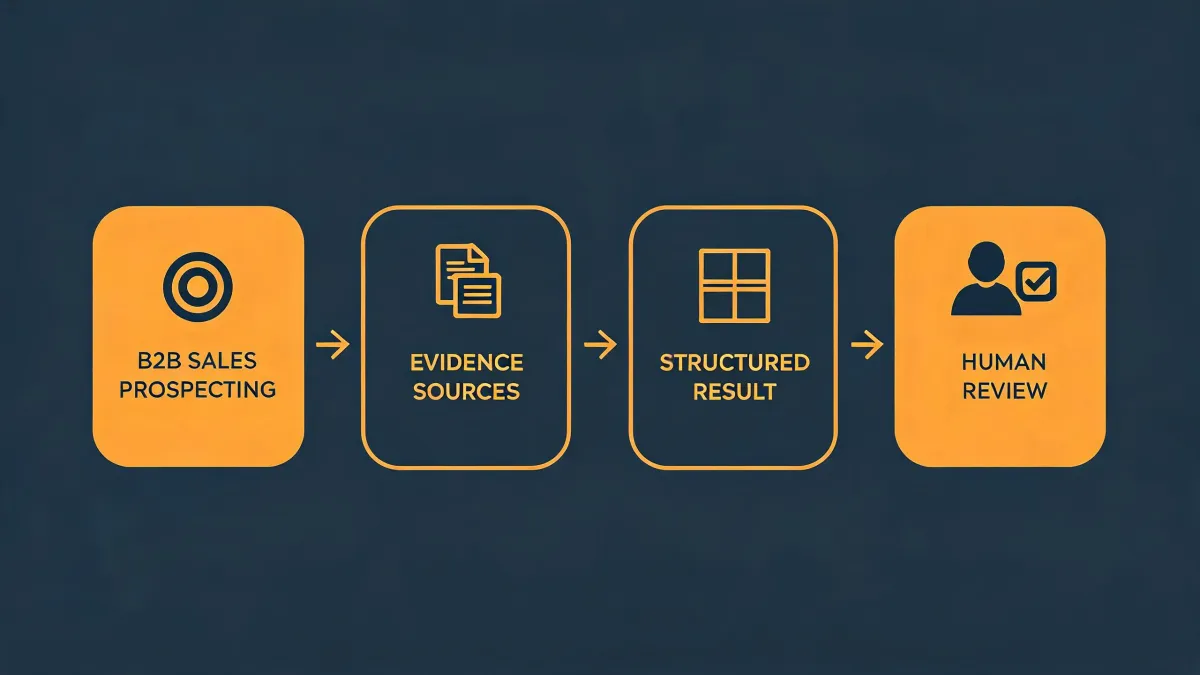
Draw the actual path: sourcing -> enrichment -> Okki-Go email verification -> intent scoring -> routing -> sales email sequence -> CRM writeback -> human review. Put names next to each step. If a step has no owner, it is up in the air.
I still kick myself for not asking about CRM writeback before signing a lead gen renewal in 2024. We spent three months fixing duplicate records. The tool was fine. The workflow was not.
Step 3: Set an email verification policy, not a magic checkbox
Okki-Go email verification is a checkpoint, not a guarantee. No tool can promise 100% accurate email verification or guaranteed email deliverability. Email address syntax is covered by RFC 5322, but mailbox existence depends on the receiving server and changes over time.
Use four buckets: valid, risky, unknown, catch-all. Decide what happens to each. For example: valid goes to sequence; risky goes to a low-volume test; unknown gets enriched again; catch-all gets manual review or no send. That policy is a deal-breaker for me now.
Step 4: Layer waterfall enrichment and intent
Waterfall enrichment means checking multiple data sources in order until you fill the field. Intent data tells you who is showing buying behavior now. Together they stop the agent from treating every contact the same.
Part of me wants one vendor to do everything. Another part knows that redundancy saved us during a messy data migration. I compromise with a primary enrichment source plus a backup check for high-value accounts.
Step 5: Configure agent-native prospecting with human-in-the-loop
Agent-native prospecting works best when the agent does research, drafts, and scheduling, and a human approves the first send. That is the compromise I trust. It is not fully replacing human SDRs, and it should not be sold that way.
Build approval checkpoints for: new domains, new personas, aggressive claims, and any sequence going to more than 50 contacts. The agent can move fast. You still own the risk.
Step 6: Write sales emails that respect deliverability rules
As of February 2024, Google and Yahoo require bulk senders to keep spam complaint rates below 0.3% and support one-click unsubscribe. Verify current thresholds at Google Postmaster Tools and Yahoo sender best practices. Per the FTC's CAN-SPAM Act (effective January 1, 2004), commercial emails must include a clear opt-out mechanism and a valid physical postal address. Verify current requirements at ftc.gov.
Keep sales email plain. No fake urgency. No giant images. No 14-link footer. Personalize with verified fields, not guesses. If your reply rate is terrible, check relevance before you blame the inbox.
Step 7: Set routing, suppression, and CRM hygiene
This is the step most teams skip. Set suppression lists for customers, competitors, unsubscribes, bounced domains, and recent opportunities. Route leads by territory, segment, and intent score. Make sure the CRM stage updates when a reply happens.
From the outside, lead gen looks like a list problem. The reality is it is a workflow and compliance problem. Bad routing makes good data useless.
Step 8: Review procurement details early
I have mixed feelings about procurement reviews. On one hand, they slow down pilots. On the other, they catch the stuff that becomes a finance problem later. For Okki-Go or any lead generation software, ask about seat count, overage fees, data processing addendum, subprocessors, retention, deletion, SSO, and renewal terms.
In 2023, a vendor could not provide proper invoicing for a $2,400 annual charge. Finance rejected the expense report. I ate the cost out of the department budget. Now I verify invoicing and security paperwork before any paid pilot. That is a no-brainer.
Step 9: Measure weekly and cut what does not work
Track bounce rate, reply rate, positive reply rate, meetings booked, pipeline created, unsubscribe rate, and spam complaints. Do not promise guaranteed ROI or reply rates. No honest vendor can.
Run a weekly 30-minute review. Kill sequences with high bounce and low positive reply. Double down on segments with actual conversations. The goal is not more sends. It is cleaner handoffs.
Common mistakes and warnings
- Buying lead generation software before mapping the workflow.
- Treating Okki-Go email verification as a binary yes/no instead of a policy.
- Letting an agent send without human review on new domains or personas.
- Ignoring CAN-SPAM, GDPR, or local opt-out rules because the volume is small.
- Forgetting CRM writeback, suppression lists, and duplicate checks.
- Believing a vendor that guarantees 100% email accuracy, guaranteed reply rates, or full SDR replacement. Those are red flags.
I'd rather spend 10 minutes explaining these steps to my ops team than deal with mismatched expectations later.
An informed buyer asks better questions and makes faster decisions. That is the whole point of customer education.
If you are testing an Okki-Go workflow for SDR teams, start with one segment, one verification policy, and one human approval gate. Then expand. Done.