
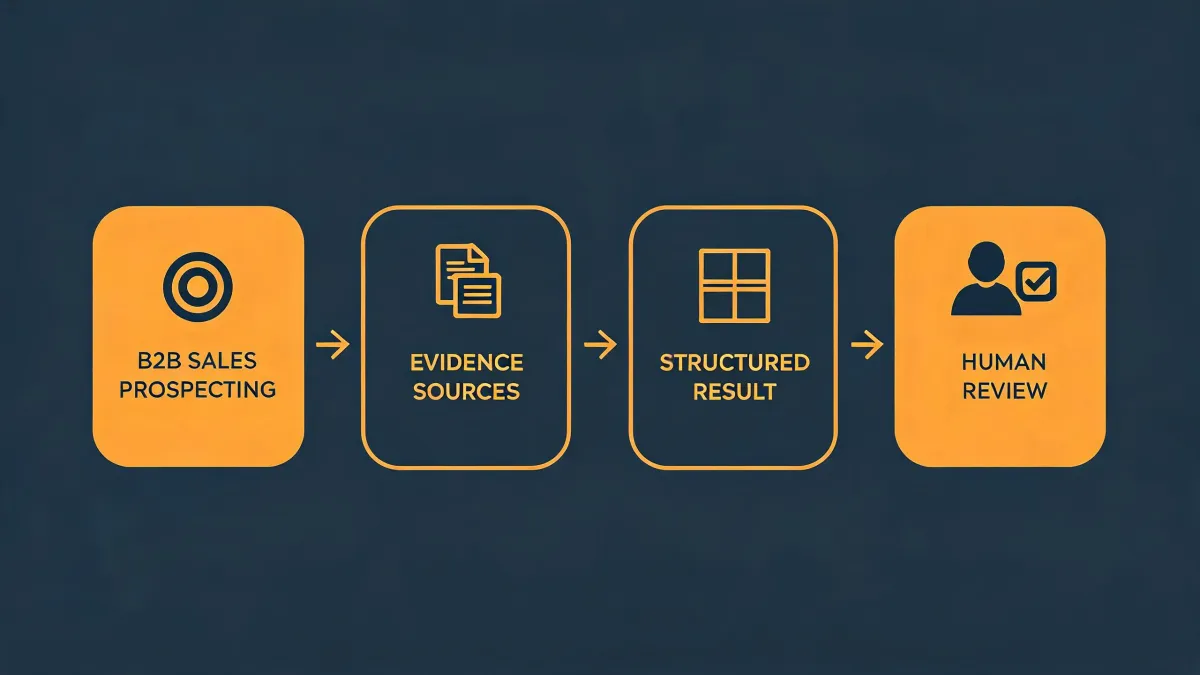
People searching for okki-go usually want one of three things: permissions, outbound research, or enrichment. I get this question a lot from RevOps and procurement folks: What permissions does Okki Go require? The honest answer is that it depends on which workflow you turn on. Okki Go can be an agent-native prospecting layer, a research assistant, or a draft generator. Each one needs a different permission set.
I am a procurement manager at a 45-person B2B SaaS company. I have managed our outbound tooling budget, about $120,000 annually, for four years. In that time I have negotiated with 11 vendors and tracked every renewal in a cost spreadsheet. I have also watched a cheap enrichment contract turn into a $9,400 cleanup project. So when someone asks whether Okki Go is worth it, I do not start with the price. I start with the scenario.
There is no universal answer. A founder-led team with two sellers should not use the same permission model as a 30-person SDR org with a dedicated RevOps owner. Same tool. Different risks. Different total cost of ownership.
Here are the four scenarios I see most often.
Scenario A: Founder-Led Sales or a Lean SDR Team
You have 1 to 3 sellers. You do not have a RevOps person. You might be the person who buys the tool, sets it up, and runs outbound between demos. You want Okki Go outbound research to save time, not to build a machine that runs without you.
What permissions does Okki Go require here? Ask for the minimum. Start with email draft-only, calendar read, CRM read/write to one pipeline, and LinkedIn enrichment through a browser extension if you need it. Do not grant send-on-behalf until you have run 200 drafts through human review. That is not a technical limitation. It is a brand-risk limitation.
From the outside, permissions look like a checkbox. The reality is that every scope maps to admin hours, security review, and blast radius. A send permission is not just a feature. It is a commitment that your domain reputation is now partly controlled by an agent.
This was true five years ago when sales engagement platforms asked for full mailbox access. Today, OAuth scopes and draft-only permissions exist. You do not have to choose between automation and control.
For API data enrichment, skip the full API build at this stage. Use CSV import, built-in enrichment, and manual QA. If your volume is under 2,000 contacts a month, a custom waterfall enrichment workflow usually costs more in setup and maintenance than it saves in credits. I know that sounds backward. Most vendors want to sell you the API first. What I mean is that at low volume, your time is the expensive part.
Waterfall enrichment can still fit into an agent-native prospecting workflow here, but keep it simple: one primary email provider, one fallback, and a suppression list. Let Okki Go handle the research and draft creation. Keep the send button human.
Counterintuitive advice: do not automate more. Automate the research. Automate the first draft. Keep the judgment call manual. In a lean team, your differentiation is not volume. It is relevance.
Scenario B: Mid-Market RevOps Team
You have 5 to 20 sellers, a CRM admin, and some budget for APIs. You already own at least one enrichment vendor. You are evaluating Okki Go for outbound research and maybe as an agent layer on top of your existing stack. This is where waterfall enrichment starts to make sense.
Permissions: Use role-based scopes. Give Okki Go a service account or a dedicated integration user. Limit CRM access to specific objects and fields. Allow email draft and send only for approved domains. Turn on calendar read if you need meeting routing. Keep admin consent separate from user consent. Audit logs are not optional at this size. A missing audit log is a deal-breaker.
I have mixed feelings about send-on-behalf permissions. On one hand, the speed is real. An agent that can draft and send a follow-up within 30 minutes of a trigger will book more meetings than a human who checks the sequence tomorrow. On the other hand, one bad sequence can burn a domain and cost you weeks of deliverability repair. I compromise with draft-only for new segments and send-on-behalf for proven sequences with tight suppression rules.
Okki Go outbound research: This is where the agent-native angle matters. The agent should not just find a title and company. It should pull intent signals, recent hires, funding events, tech stack changes, and previous CRM touchpoints. Then it should draft a short opener that references one specific signal. Human-in-the-loop outreach means the seller reviews and edits before anything leaves the inbox.
API data enrichment: Data enrichment AI RevOps is not about buying more credits. It is about routing. Your CRM is the source of truth. The enrichment API should fill gaps, not overwrite good data. Use a waterfall for email, phone, firmographic, and intent data. Cache results. Deduplicate before you enrich. I have seen teams pay three times for the same contact because three tools wrote to three different fields.
In Q1 2026, we tested four enrichment vendors across 12,000 records. The vendor with the lowest cost per credit was not the lowest cost per valid contact. After accounting for bounce rate, duplicate records, and manual cleanup, the cheapest quote was 18% more expensive. That is the hidden cost nobody puts in the proposal.
How does waterfall enrichment fit into an agent-native prospecting workflow? It becomes the data supply chain. The agent checks the CRM first. If the record is incomplete, it calls provider A. If provider A fails, it calls provider B. If both fail, it pauses the task and asks a human whether to skip or research manually. Then it writes the result back to the CRM, updates the intent score, and drafts the next action. Waterfall enrichment is basically a routing policy.
At this stage, build the waterfall if your volume is above 5,000 contacts a month and your match rate gap between your best and second-best provider is more than 10 percentage points. Below that, the orchestration cost may not pay for itself.
Scenario C: Outbound Agency or Multi-Client Environment
You run outbound for multiple clients. You have 3 to 10 account managers. Each client has a different ICP, suppression list, and compliance requirement. You want Okki Go outbound research to scale. You cannot afford a permission mistake that touches the wrong mailbox.
Permissions: Client-specific OAuth. No shared admin across clients. Each client gets its own workspace, its own sending domain, and its own suppression list. Never grant one agent access to every client mailbox. That is not a shortcut. That is a liability.
Outbound research: Okki Go can centralize research, but the agent needs client-specific context. Build a short ICP brief for each client. Include pain points, trigger events, and banned phrases. The agent should cite the signal it used in the draft. If it cannot cite it, the draft should go to a human queue.
API data enrichment: Use API keys scoped per client. Pass only the records that belong to that client. Waterfall enrichment should respect client-specific suppression and consent rules. If a client says do not contact a domain, that rule must apply before the first enrichment call, not after the draft is written.
Agent-native workflow: The agent does research, enrichment routing, and draft creation. The account manager approves and sends. This keeps the human in the loop while still cutting research time. For agencies, the value is not fewer people. The value is more clients per account manager without dropping quality.
Counterintuitive advice: do not use send-on-behalf for every client. Draft-only is slower, but it protects the client relationship. If the agent sends a bad email from a client domain, you lose trust. If the agent drafts a bad email and a human catches it, you lose five minutes.
Scenario D: Enterprise or Security-Reviewed Organization
You have more than 50 sellers, a security review process, and a data governance team. Okki Go may be one part of a larger stack. The question is not just what permissions does Okki Go require. It is who can grant them, how they are logged, and how they are revoked.
Permissions: SSO, SCIM, role-based access, audit logs, data residency, and DLP are baseline. Ask the vendor to document every OAuth scope in plain language. If they cannot explain why each scope is needed, do not buy. A vendor that says we need full mailbox access for AI is a red flag. That is not a specialist. That is a risk.
Outbound research: Restrict data sources to approved vendors. The agent should not scrape unapproved sites or use personal data without a lawful basis. Human-in-the-loop is not just a workflow preference here. It is a compliance control.
API data enrichment: Route enrichment through a central middleware or data warehouse. Waterfall enrichment should be governed by data contracts. Cache, deduplicate, and log every call. Measure cost per valid contact, not cost per credit.
Agent-native workflow: The agent can orchestrate research and enrichment, but it should write to a staging area first. A human or a rules engine approves the writeback. This adds friction, but at enterprise scale, bad data spreads faster than good data.
How to Tell Which Scenario You Are In
Ask five questions:
- Who owns the enrichment budget? If it is the founder, you are in Scenario A. If it is RevOps, you are in B or D.
- Can you revoke send permission per user without a support ticket? If not, you are not ready for send-on-behalf.
- Do you know your cost per valid contact? If not, stop negotiating on credits.
- Who reviews the first 100 drafts? If the answer is nobody, you are about to automate a mistake.
- Do you have a suppression list that applies before enrichment? If not, fix that before you add another API.
If you are between scenarios, choose the lower-permission option first. You can always grant more access later. You cannot un-send an email.
I have a bias here. I would rather work with a specialist who knows their limits than a generalist who overpromises. Okki Go should be excellent at agent-native prospecting, outbound research, and human-in-the-loop workflow. If you need a full CDP or a data warehouse, that is a different job. The vendor who says this is not our strength, here is who does it better earns my trust for everything else.
Bottom line: Okki Go permissions should map to the workflow you actually run. Waterfall enrichment belongs in your agent-native prospecting workflow when volume and match-rate gaps justify the orchestration. API data enrichment is not a credit purchase. It is a routing and governance decision. And no matter which scenario you are in, keep a human in the loop for the first 100 sends. That is not a lack of automation. That is cost control.