
-
1. What is OKKI Go in plain English?
-
2. What does “agent-native prospecting” actually change?
-
3. What are real OKKI Go lead generation examples I can test?
-
4. Where does CRM enrichment fit into an agent-native workflow?
-
5. How do email verification service features fit into an agent-native prospecting workflow?
-
6. Can I use OKKI Go for LinkedIn prospecting without getting flagged?
-
7. Is it worth paying more for guaranteed turnaround on data and enrichment?
I’m the operations admin for a 70-person B2B SaaS company. I manage sales ops tooling procurement—roughly $85K annually across 9 vendors. I report to both sales ops and finance.
I evaluated OKKI Go (also styled okkigo) during our 2024-2025 vendor consolidation. I’m not a sales ops manager, and I’m not a deliverability engineer. What I can tell you is what I asked before signing, what I’d pilot, and where the math actually matters. My experience is based on about 9 vendors and 3 sales teams. If you’re enterprise with 200+ SDRs, your mileage may differ.
Here are the questions I’d want answered if you’re considering okki-go for agent-native prospecting:
- What is OKKI Go in plain English?
- What does “agent-native prospecting” actually change?
- What are real OKKI Go lead generation examples I can test?
- Where does CRM enrichment fit into an agent-native workflow?
- How do email verification service features fit into an agent-native prospecting workflow?
- Can I use OKKI Go for LinkedIn prospecting without getting flagged?
- Is it worth paying more for guaranteed turnaround on data and enrichment?
1. What is OKKI Go in plain English?
OKKI Go is an agent-native prospecting platform for B2B sales teams, RevOps, SDRs, and outbound agencies. It combines AI SDR workflows, lead gen, email verification, intent data, enrichment, and LinkedIn-oriented research.
Agent-native. What I mean is the product is built for software agents to run the repetitive parts—sourcing, deduping, enriching, verifying, drafting—while a human stays in the loop for judgment and approval. Natural language prospecting is the interface: you describe an ICP in plain English, like “find 300 VPs of RevOps at Series B SaaS companies in North America, verify emails, enrich with intent signals, and draft a two-touch sequence.” The agent translates that into filters and actions.
It is not a magic database. If your source list is bad, the output will be bad. That’s true of every tool in this category.
2. What does “agent-native prospecting” actually change?
Everything I’d read about AI SDRs said they replace the whole outbound motion. In practice, the useful ones remove admin drag. They don’t remove the need for a human who knows the account.
The change is workflow compression. Instead of an SDR bouncing between a database, an enrichment tool, a verification tool, a CRM, and a sequencing tool, the agent does the handoffs. The human reviews the list, edits the first line, and approves the send. Human-in-the-loop outreach isn’t a limitation; it’s usually what keeps quality from falling off a cliff.
That said, if you expect fully autonomous pipeline generation with no review, you’ll probably be disappointed. I’ve seen that movie before with marketing automation.
3. What are real OKKI Go lead generation examples I can test?
These are the pilots I’d run first. They’re examples, not promises:
- Webinar follow-up. Upload an attendee list, enrich missing firmographics, verify emails, filter by intent, and draft a follow-up sequence for SDR review.
- LinkedIn signal to email. Use LinkedIn for research and warm signals, sync the account to your CRM through permitted methods, enrich the contact, verify the email, then send from your compliant email system.
- Closed-lost reactivation. Enrich old opportunities, check for job changes, verify new emails, and route accounts with fresh intent to an SDR.
- Event badge scan. Same-day enrichment and verification so booth follow-up goes out while the conversation is still warm.
- Partner list clean-up. Run waterfall enrichment on a messy partner list, dedupe against CRM, and write back only the fields your reps actually use.
Start with one use case and one segment. If the match rate is bad on your ICP, don’t scale it.
4. Where does CRM enrichment fit into an agent-native workflow?
CRM enrichment is usually the step that makes agent output usable. Raw leads go in; enriched records go out. The agent should append firmographics, technographics, role, intent signals, and verification status—then write the useful fields back to Salesforce or HubSpot.
Waterfall enrichment matters here. One provider may have 40% coverage on your segment; another may have 70% on a different field. The agent tries multiple sources and keeps the best match. What most people don’t realize is that “intent data” often means website visitor de-anonymization or third-party topic signals with match rates that vary wildly by segment. Ask for match rates by industry, company size, and region—not one overall number.
From a procurement perspective, I care about writeback rules. If enrichment doesn’t update the CRM record the SDR already opens, it may as well not exist. I’m not a data engineer, so I can’t speak to dedupe architecture. I can tell you that field-level fill rates and refresh policy belong in the contract conversation.
5. How do email verification service features fit into an agent-native prospecting workflow?
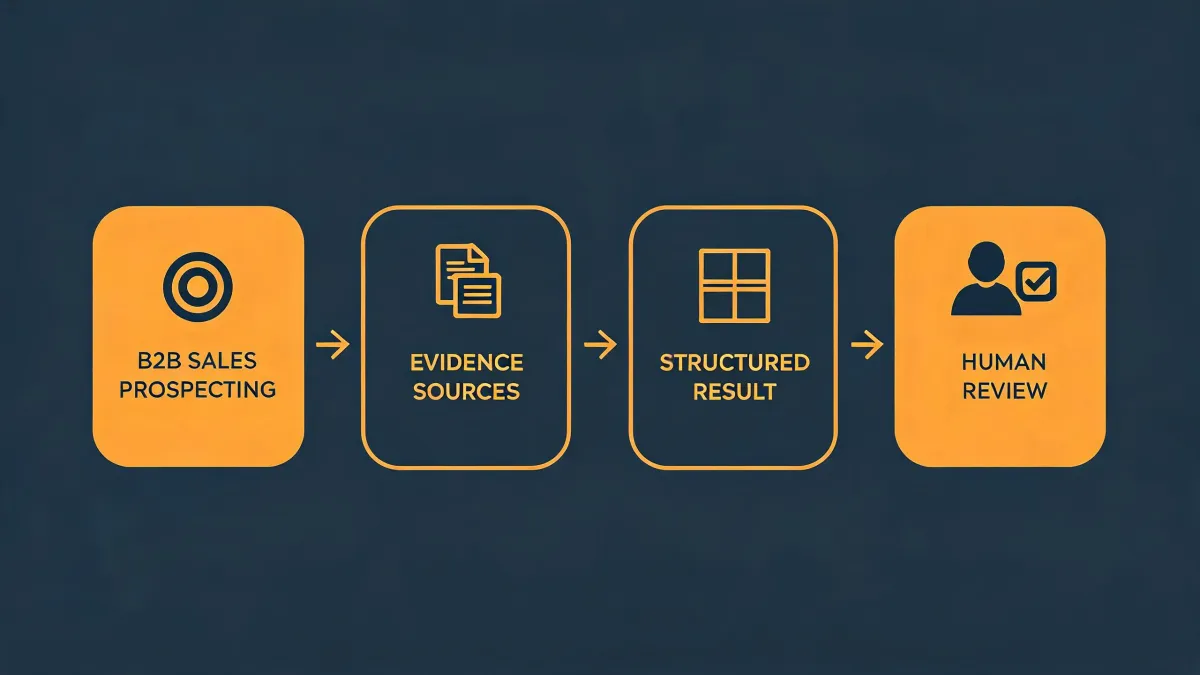
Email verification should sit after enrichment and before sequencing. The workflow looks like: agent pulls list → waterfall enrichment → email verification → suppression check → draft sequence → human approves → send.
The features I look for are syntax validation, domain and MX checks, SMTP checks, catch-all detection, disposable and role-based address flags, and a risk score. Those features don’t guarantee deliverability—no tool can honestly promise that—but they reduce obvious risk before you burn sender reputation.
Google and Yahoo’s February 2024 bulk sender guidelines require authenticated mail and a spam complaint rate under 0.3% for bulk senders. CAN-SPAM also requires accurate headers and a clear opt-out.
I only believed verification mattered after skipping it once. The “saved” $200 cost us a two-week deliverability cleanup and a very awkward meeting with sales. Now verification is a gate, not an afterthought. I’m not a deliverability engineer, so I can’t speak to SMTP-level tuning. But I can say this: if your agent-native workflow sends before it verifies, you’re gambling.
6. Can I use OKKI Go for LinkedIn prospecting without getting flagged?
LinkedIn prospecting is the area where I’d be most careful. LinkedIn’s User Agreement prohibits scraping and unauthorized automation. So the safe pattern is human-in-the-loop: use LinkedIn for research, triggers, and warm signals; respect rate limits; export data only through permitted methods; verify emails; and send through your own compliant email system.
I can’t give legal advice. What I can tell you as the person who signs vendor contracts is to ask how LinkedIn data is sourced. Do they scrape? Do they use licensed providers? What happens if someone asks for deletion? If the answer is vague, that’s a risk I’d escalate to legal.
LinkedIn prospecting works best as a signal layer, not as bulk automation. The agent can organize the research, but a human should still make the call on who gets a message and why.
7. Is it worth paying more for guaranteed turnaround on data and enrichment?
Yes—when the deadline is real. The value of guaranteed turnaround isn’t speed. It’s certainty. In Q1 2025, we paid a premium for guaranteed enrichment before a trade show. The alternative was missing a $15K pipeline conversation. A cheap list that arrives late is more expensive than a verified list that arrives when promised.
But I wouldn’t pay for rush on everything. For routine quarterly campaigns, standard turnaround is usually fine. For event follow-up, quarter-end pushes, or a board-level pipeline review, buy the certainty. After getting burned twice by “probably on time” data promises, we now budget for guaranteed delivery on the few projects where a missed date actually costs money.
That’s the last question I’d ask: what does “on time” mean in writing? If the vendor can’t answer that, the premium isn’t worth it.