
-
When to use this checklist
-
Step 1: Define the trigger before you touch the tool
-
Step 2: Filter the company database before you discover contacts
-
Step 3: Map the professional email finder to your agent's decision tree
-
Step 4: Run enrichment, intent, and verification in parallel - not in sequence
-
Step 5: Use the okki-go API integration to enforce the boring rules
-
Step 6: Score AI sales agent features against your real bottlenecks
-
Step 7: Pilot with a small segment and a hard stop
-
Common mistakes and notes
When to use this checklist
Use this if you're a RevOps lead, SDR manager, or outbound agency owner who needs to stand up or repair a prospecting workflow fast. I build outbound systems for B2B SaaS and agency teams. I've handled 200+ rush campaigns in six years, including same-day list rebuilds for clients facing end-of-quarter events.
In March 2024, a client called at 9:40 a.m. needing 1,200 usable contacts for a webinar that afternoon. Normal list build: three days. We used okki-go's company database filters, a professional email finder, and a two-pass verification step. We shipped 1,050 contacts by 2 p.m. Not ideal. Workable.
I have mixed feelings about agent-native prospecting. On one hand, it can rebuild a broken list before your coffee gets cold. On the other, it can scale bad data faster than any human SDR. The compromise is a checklist that keeps a human in the loop at the decision points that matter.
This checklist has 7 steps. It assumes you're evaluating okki-go or another agent-native prospecting stack, and you want to know where a professional email finder actually belongs. Here's the order of operations.
Step 1: Define the trigger before you touch the tool
Don't start with the email finder. Start with the event that makes the list necessary. A webinar next Tuesday? A funding announcement? A trade show follow-up? A territory reset?
It's tempting to think the workflow starts with 'find more emails.' But that's one sensor in a larger system. The 'just find more emails' advice ignores deliverability, suppression lists, intent timing, and whether your offer is even relevant to that segment.
Write down the trigger, the deadline, the minimum viable segment, and the fallback if the list doesn't fill. For a rush webinar, the fallback might be a smaller VIP list plus manual LinkedIn follow-up. For a pipeline sprint, it might be a two-touch sequence instead of five.
Checkpoint: You can state the trigger in one sentence, and you know how many contacts you actually need - not how many you want.
Step 2: Filter the company database before you discover contacts
Most teams do this backward. They pull emails, then realize half the companies don't match the ICP. In an okki-go review, the company database layer matters more than the shiny AI agent layer. Garbage accounts produce garbage outreach, no matter how good the email finder is.
Start with firmographics: employee count, industry, tech stack, geography, funding stage, and recent hiring signals. Then add intent data or buying signals if your stack supports it. If you're using okki-go, this is where waterfall enrichment plus intent can save a rush list from becoming a random spreadsheet.
Don't over-filter. In a rush, a 70% fit list delivered on time beats a 95% perfect list delivered three days late. But don't under-filter either. Fifty irrelevant accounts will burn your sending domain faster than you can say reply rate.
Checkpoint: You have a company list with at least one verified signal per account, and you can explain why each segment is in or out.
Step 3: Map the professional email finder to your agent's decision tree
This is the step most people skip. How does a professional email finder fit into an agent-native prospecting workflow? It's not the whole workflow. It's a lookup service that the agent calls when it has a target person, a company, and a reason to reach out.
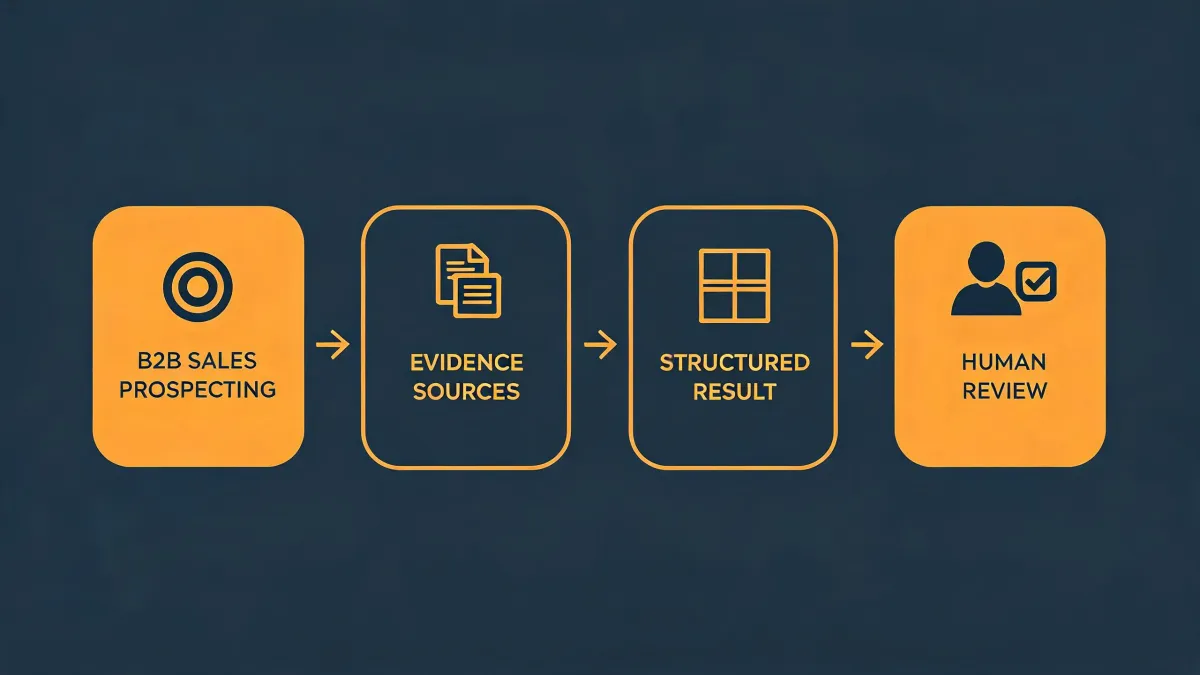
The agent should know when to use the finder, when to skip it, and when to escalate to a human. For example: if the company matches the ICP but the contact's email is missing, the agent tries the finder. If the finder returns a low-confidence match, the agent should not guess. It should either find another contact or flag the account for manual review.
This is where human-in-the-loop outreach stops being a slogan. The agent handles volume. The human handles ambiguity. I do not mean that the agent should replace your team. That split is what keeps you from spraying 'info@' addresses and calling it personalization.
Checkpoint: Your agent has a written rule for finder success, finder failure, and low-confidence results. If it doesn't, you don't have a workflow. You have a demo.
Step 4: Run enrichment, intent, and verification in parallel - not in sequence
Sequential workflows are comfortable. They're also slow. In a rush, you can't wait for enrichment to finish before you start verification. Run them in parallel where the API allows it, then reconcile the results before sending.
Waterfall enrichment means trying multiple sources in order until you get a valid result. Intent data tells you whether the account is showing buying behavior. Verification tells you whether the email is likely to bounce. These aren't the same thing, and you shouldn't treat them as one score.
A practical order for a 24-hour sprint:
- Pull company matches from the database.
- Find decision-makers with a professional email finder.
- Verify emails with a second pass.
- Overlay intent or trigger signals.
- Suppress existing customers, opt-outs, and recent touches.
Checkpoint: Every contact has a source, a verification status, and a suppression check. No source, no send.
Step 5: Use the okki-go API integration to enforce the boring rules
The okki-go API integration isn't just for pushing leads into your CRM. It's for enforcing the rules your team forgets at 5 p.m. on a Friday: suppression lists, domain throttling, duplicate checks, and owner assignment.
If you're evaluating okki-go, ask three questions:
- Can the API return confidence scores and source metadata for each email?
- Can it sync suppression and opt-out status both ways?
- Can it trigger a human review when the agent hits a low-confidence match?
If the answer is no, the tool might still be useful. It just won't be agent-native in the way that matters. It'll be another tab.
Checkpoint: You can trace one contact from company database to email finder to verification to CRM to sequence - without opening a spreadsheet.
Step 6: Score AI sales agent features against your real bottlenecks
AI sales agent features sound great in a demo. In production, you care about three things: can it find the right account, can it stop bad sends, and can it hand off to a human without losing context?
Don't buy features you won't debug. For example, a multi-step autonomous sequence builder is useless if your team can't edit the logic when a segment underperforms. A conversational AI SDR is dangerous if it can't respect suppression or opt-out language.
Score each feature against a bottleneck you actually have. If your bottleneck is data coverage, prioritize the company database and waterfall enrichment. If your bottleneck is deliverability, prioritize verification, domain health, and send throttling. If your bottleneck is reply quality, prioritize intent data and human-in-the-loop review.
Checkpoint: You have a one-page scorecard. Features that don't map to a bottleneck go to the 'later' pile.
Step 7: Pilot with a small segment and a hard stop
Never launch a new agent-native workflow to your full list. Pick 50-100 contacts. Set a hard stop: if bounce rate, spam complaints, or negative replies cross a threshold, pause the sequence and fix the data.
In my rush jobs, the pilot phase is usually two hours, not two weeks. Send a small batch, check delivery and early replies, then expand. That's not statistically perfect. But it catches the obvious failures before they become expensive.
Checkpoint: You have a go/no-go decision at 50 contacts, and a rollback plan that doesn't require a meeting.
Common mistakes and notes
- Treating the email finder as the strategy. It's a lookup layer. The strategy is the trigger, the segment, and the offer.
- Skipping suppression sync. This is the error that gets domains burned. Sync opt-outs and existing customers before every send.
- Confusing verification with deliverability. Verification reduces bounces. It doesn't guarantee inbox placement, and no tool can promise that.
- Letting the agent guess. Low-confidence emails should go to human review or be discarded. Don't fill gaps with guesses.
- Ignoring compliance. According to the FTC (ftc.gov), CAN-SPAM requires accurate headers, a clear opt-out mechanism, and prompt honoring of opt-outs. Under GDPR (gdpr.eu), B2B outreach may rely on legitimate interest, but you still need a lawful basis and a way to honor objections. Verify current regulations with qualified counsel for your region.
I've made the 'we'll fix the list after launch' mistake before. We didn't. We spent the next week cleaning bounces and explaining why the domain reputation dropped. That's why I now treat verification and suppression as pre-flight checks, not post-launch cleanup.
5 minutes of verification beats 5 days of correction. If you're evaluating okki-go, start with the workflow, not the feature list. The tool should fit the checklist - not the other way around.