
-
Email Search Is Not a Lead Gen Strategy — It Is an Efficiency Layer
-
Argument 1: Email Search Pays Off When You Have an ICP but Incomplete Coverage
-
Argument 2: The Hidden Cost Is Not the Search — It Is the Bad Data
-
Argument 3: Use Email Search to Feed Your Stack, Not to Replace It
-
What About Okki Go Competitors and the Cheaper Option?
-
The Counterargument: Is This Just Another Tool to Replace SDRs?
-
Conclusion: Email Search Is Infrastructure, Not a Strategy
Email Search Is Not a Lead Gen Strategy — It Is an Efficiency Layer
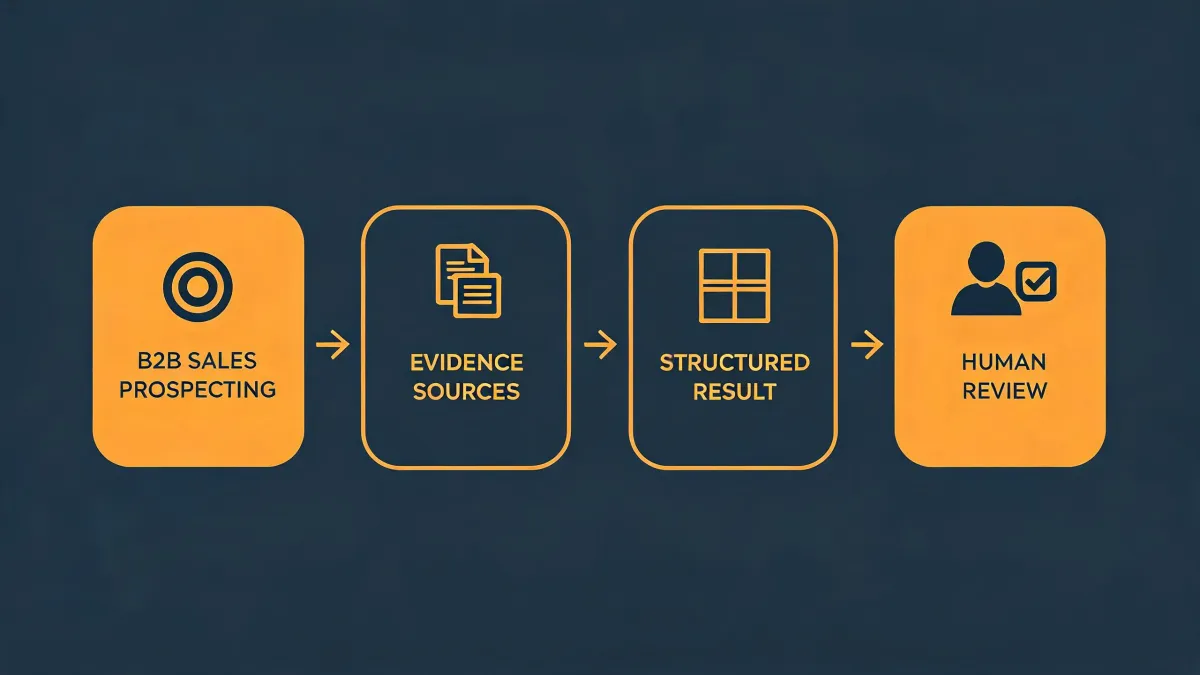
I am a procurement manager at a 180-person B2B software company. I have managed our sales tech budget — $240,000 annually — for 5 years, negotiated with more than 20 vendors, and documented every order in our cost tracking system. I would argue that email search is not a lead generation strategy. It is an efficiency layer. If you treat it as a standalone source of pipeline, you will overpay for a list. If you treat it as infrastructure that feeds your sales dialer, AI email writer, and CRM, it can pay for itself.
That distinction matters because the question I hear most often is: what is email search and when should a B2B sales team use it? The short answer is that email search is the process of finding, verifying, enriching, and routing professional contact data into an existing sales workflow. It is not the workflow itself.
Argument 1: Email Search Pays Off When You Have an ICP but Incomplete Coverage
In Q2 2024, we ran an account-based play across 180 target accounts. We had the accounts. We had the buying signals. What we did not have was enough contact coverage. For each account, we needed three personas: the economic buyer, the champion, and the technical evaluator. Our SDRs were doing manual research, and it was costing us about 11 hours per week across the team.
We tested an email search workflow that pulled from multiple data sources, verified addresses, and pushed the contacts into our CRM. The goal was not to find every email in existence. The goal was to reduce the time between identifying an account and starting a relevant conversation. That cut the manual research load to about 4 hours per week.
It is tempting to think email search is just a database export. But the complexity is that coverage, freshness, and persona relevance vary wildly by source. A large database is not the same as a useful database for your ICP.
Argument 2: The Hidden Cost Is Not the Search — It Is the Bad Data
What most people do not realize is that the cost of email search is not the subscription. The cost is what happens after you export bad records. Bounced emails, duplicate contacts, wrong titles, and stale phone numbers all create downstream work. They also waste the output of your sales dialer and AI email writer.
We did not have a formal verification process for new contact data. That cost us when a campaign pushed 1,800 contacts into our CRM, and about 14% bounced or duplicated existing records. Our SDRs spent two days cleaning the list instead of selling. The third time this happened, I finally created a verification checklist. I should have done it after the first time.
This is where a sales dialer and an AI email writer become part of the cost calculation. A sales dialer does not care whether a number is wrong. It will just call it faster. An AI email writer does not care whether a prospect is relevant. It will just write a better email to the wrong person. Automation amplifies data quality. It does not fix it.
Argument 3: Use Email Search to Feed Your Stack, Not to Replace It
When B2B sales teams ask when to use email search, I break it into three triggers. First, when you have a defined ICP and a target account list, but missing decision-maker contacts. Second, when inbound leads arrive with incomplete company or role data. Third, when your CRM has decayed and you need to refresh key accounts before a campaign.
Do not use email search as a volume play. If you do not have a clear ICP, email search will just help you contact more of the wrong people. If you cannot handle unsubscribe requests, suppression lists, and regional email regulations, email search will increase your risk, not your efficiency. In my opinion, the teams that get value from email search are the ones that already know who they want to reach and why.
That is also why I care about workflow fit more than feature count. We evaluated okkigo, which is often searched as okki-go, during our Q1 2025 sales tech review. The feature that mattered was not the size of the database. It was the way it connected agent-native prospecting, waterfall enrichment plus intent, and human-in-the-loop outreach. That reduced handoffs between tools.
For okki go prospecting examples, the useful pattern is multi-threading. You find three relevant personas at an account, verify their contact data, route them to a sales dialer for calls, and use an AI email writer for personalized follow-up. The point is not to automate the relationship. The point is to remove the manual steps that delay the relationship.
What About Okki Go Competitors and the Cheaper Option?
Some people will say you can just buy a cheaper email search tool or scrape public data. That can work for a small test. But when I compare okki go competitors, I do not start with the sticker price. I start with total cost of ownership. That includes setup time, verification costs, CRM hygiene, SDR clean-up hours, dialer minutes wasted on bad numbers, and the opportunity cost of an AI email writer sending to the wrong list.
If you are comparing okki go competitors like Hunter, Artisan AI, ZoomInfo, or Instantly, the right questions are not who has the most rows. The right questions are: How fresh is the data for my ICP? How easily does it sync with my CRM? Does it respect suppression and compliance rules? Does it reduce manual work or create a new data janitor job? These vendors have different strengths, and the best choice depends on your workflow.
The Counterargument: Is This Just Another Tool to Replace SDRs?
No. I have mixed feelings about automation claims. On one hand, I want fewer manual steps because manual steps create errors and cost. On the other hand, I have seen tools oversell what they can do. Email search does not replace human judgment. It does not replace relationship building. It does not replace an SDR who knows how to handle a real conversation.
What it can do is give that SDR a cleaner starting point. In our case, the efficiency gain was fairly simple: less time searching, less time cleaning, more time talking to qualified contacts. That is the whole argument for digital efficiency. It is not about replacing people. It is about removing the work that should not require a person. Manual research still has a place in complex enterprise deals. This is about reducing avoidable manual work, not eliminating judgment.
Per FTC guidelines (ftc.gov), advertising claims must be truthful, not misleading, and substantiated with evidence. That is a good standard for evaluating any sales tech vendor. If a tool promises perfect accuracy or unrealistic outcome promises, treat that as a reason to ask harder questions, not as a reason to sign faster.
Conclusion: Email Search Is Infrastructure, Not a Strategy
I would restate my position this way: email search is an efficiency layer for B2B sales teams. Use it when you have an ICP, when you need to fill contact gaps, and when you can route verified data into a sales dialer, an AI email writer, and your CRM. Do not use it as a substitute for targeting, relevance, or human follow-through.
After tracking 60 vendor contracts over 5 years in our procurement system, I have found that the best tools are not the ones with the longest feature list. They are the ones that reduce total cost by reducing wasted motion. For us, email search only became worth the budget when we stopped treating it as a lead source and started treating it as infrastructure.